
Introduction
In the bustling, noisy markets of India—from a packed Kirana store in a metro city like Mumbai to a small garment shop in a tier-2 town like Jaipur—the way customers pay has changed forever. Just a few years ago, “Cash is King” was the unwritten rule of Indian retail. Today, the scenario has flipped. If a customer asks, “Bhaiya, card chalega kya?” (Brother, do you accept cards?) and you say “No,” you are not just refusing a single payment; you are likely losing a loyal customer to the “Smart Shop” next door that offers every payment mode.
For a traditional small shop owner, investing in digital technology can feel scary. You might worry about high monthly rentals eating into your thin margins, hidden bank charges that are hard to understand, or technical glitches that halt your business during peak hours. However, selecting the best POS machine for small shop operations is no longer a luxury reserved for malls—it is a necessity for survival in 2026. It is about saving money on Merchant Discount Rate (MDR) fees, preventing theft, and ensuring your hard-earned money reaches your bank account safely and quickly to pay your distributors.
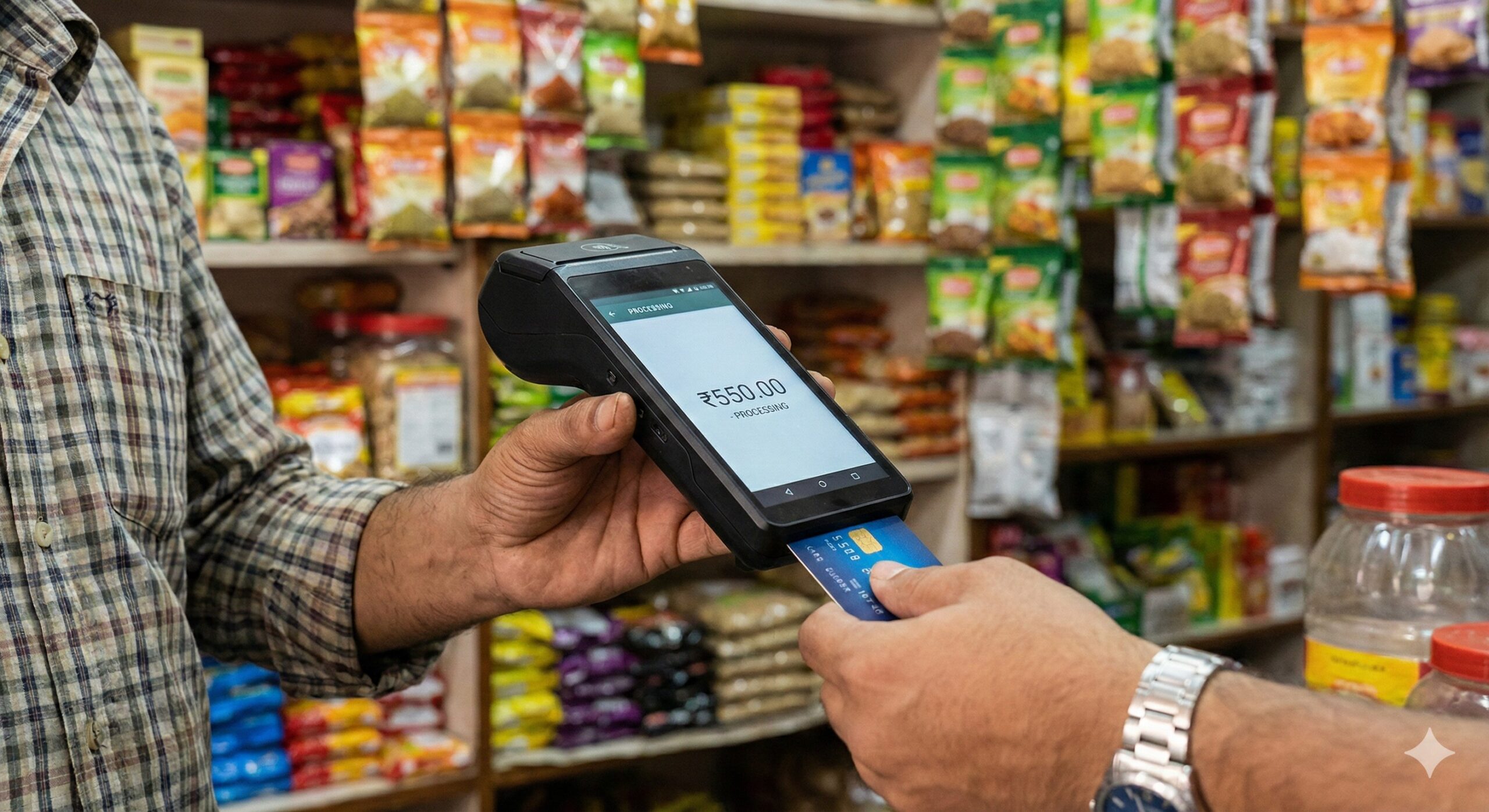
This comprehensive guide is based on the common financial challenges faced by Indian small business owners (MSMEs). We will move beyond the glossy marketing hype and look at the practical, financial aspects of choosing a swipe machine that fits your specific budget and helps you save money in the long run.
Table of Contents
Why Every Small Shop in India Needs a POS Machine
Many shopkeepers hesitate to get a POS (Point of Sale) machine because they fear the upfront costs or the monthly commitment. However, experienced businessmen know that the “Opportunity Cost” of not having one is often much higher than the price of the machine.
Stopping the “Customer Walkout”
The biggest invisible loss for a retailer is a customer who walks out empty-handed because they didn’t have enough cash in their wallet.
- The Psychology of Spending: Studies show that customers are psychologically prepared to spend more when using a card. They are not limited by the cash in their pocket. A customer who came to buy just milk might end up buying expensive chocolates or dry fruits if they know they can swipe their card. Accepting credit cards directly increases your “Average Ticket Size” (Average Order Value).
Solving the “Change” Problem
One of the daily headaches in a small shop is finding loose change (chutta).
- The Operational Hassle: How much time do you spend daily asking neighbors for ₹10 notes or offering candies (toffees) instead of ₹2 coins? A POS machine eliminates this entirely. You receive the exact amount to the last paisa (e.g., ₹456.75), simplifying your daily cash counting (galla) and reducing the stress of matching accounts at night. It also prevents employee theft, as digital entries are harder to manipulate than cash.
Building Business Credit (The Hidden Benefit)
This is the most underrated advantage.
- Digital Footprint: When you accept cash, the bank doesn’t know your business scale. But when you accept payments through a POS machine, every rupee is officially recorded in your Current Account statement. This creates a strong “Digital Footprint.”
- Loan Eligibility: If you ever need a loan to expand your shop or buy new stock, banks will look at this transaction history. A healthy flow of POS transactions proves your repayment capacity, making it significantly easier to get business loans or working capital limits (Overdraft) without heavy collateral.
Understanding the Costs: MDR, Rental, and Setup Fees
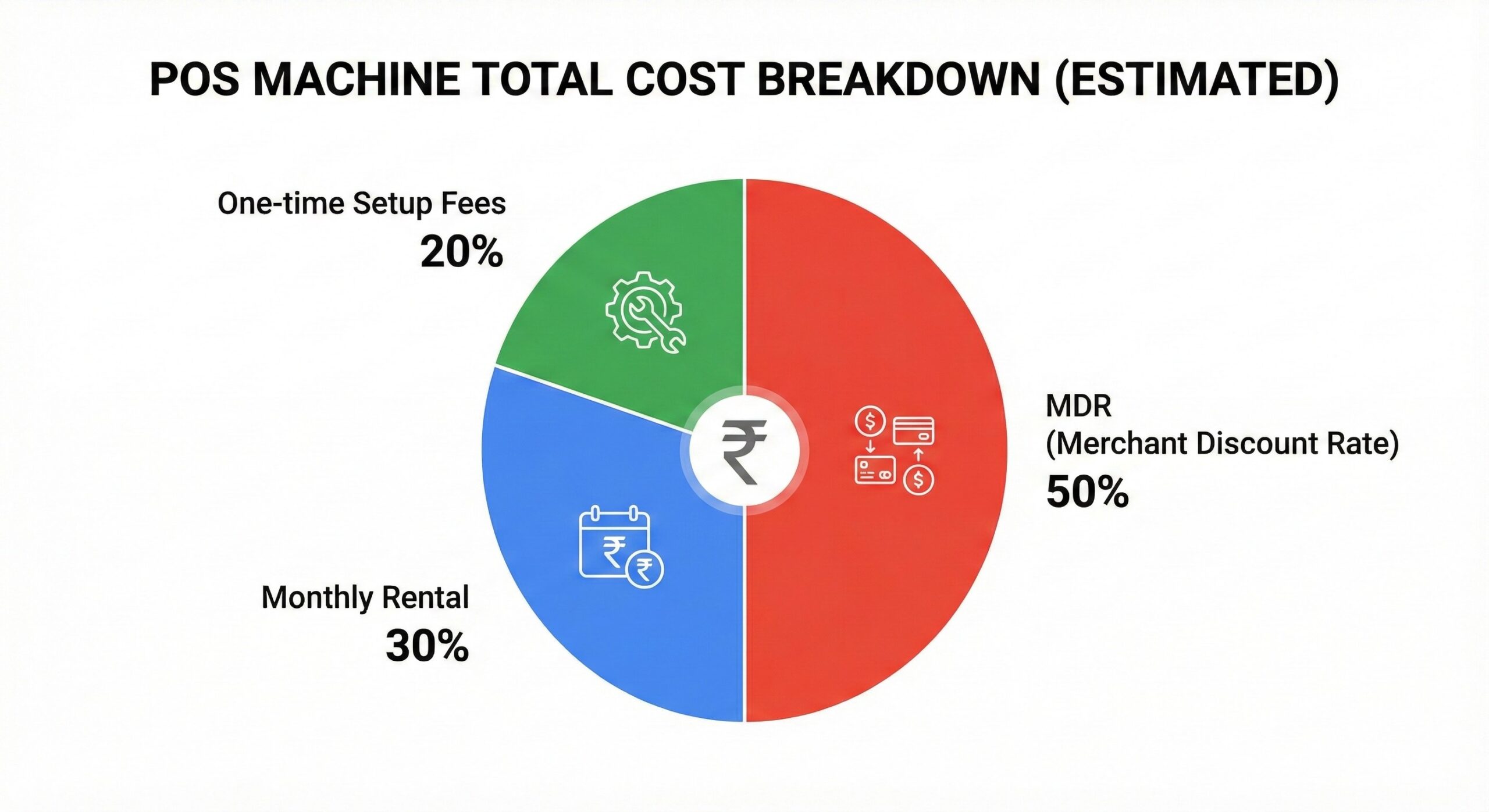
Before you choose a machine, you must understand the “Math” behind it. Banks often use complex terms; let’s simplify them so you can save the most money.
1. Monthly Rental vs. One-Time Purchase
- Rental Model: Traditional banks (like HDFC, SBI, Axis) often provide the machine on a monthly rental basis (e.g., ₹500 – ₹800 per month).
- The Catch: While the upfront cost is low, you end up paying ₹6,000 to ₹9,000 every year just for keeping the machine. This is good only if you have very high volumes and need premium support.
- Purchase Model: Modern Fintech companies (like Paytm, PhonePe, BharatPe, Pine Labs) often sell the machine for a one-time fee (e.g., ₹1,500 – ₹2,500) with zero monthly rental.
- The Benefit: For a small shop, the One-Time Purchase model is usually more budget-friendly. You pay once and own the device, freeing you from monthly bills.
2. MDR (Merchant Discount Rate)
This is the commission the bank takes on every transaction. It is automatically deducted before the money hits your account.
- Debit Cards: MDR is regulated by the government. For smaller merchants (turnover below ₹20 Lakhs), it is often Zero (0%) on transactions below ₹2,000. For others, it is capped low (0.4% to 0.9%).
- Credit Cards: This is where it hurts. MDR is not capped and can range from 1.5% to 2.5%. Premium cards (Amex/Corporate Cards) charge even higher.
- Money Saving Tip: Negotiate. Do not accept the first rate offered. If your shop creates high volume, tell the sales representative, “I will take the machine only if you give me a flat 1.2% rate on credit cards.” Banks often have room to lower these rates to acquire you as a client.
3. SIM Card and Connectivity Charges
Most modern POS machines come with a pre-installed 4G SIM card to ensure they work even if your Wi-Fi is down.
- The Hidden Cost: Check if the data charges for this SIM are included in the rental or if you have to pay an extra ₹200/month. Some smart machines connect via your shop’s Wi-Fi or your mobile hotspot, which can save you these connectivity costs entirely.
Types of POS Machines Available in India
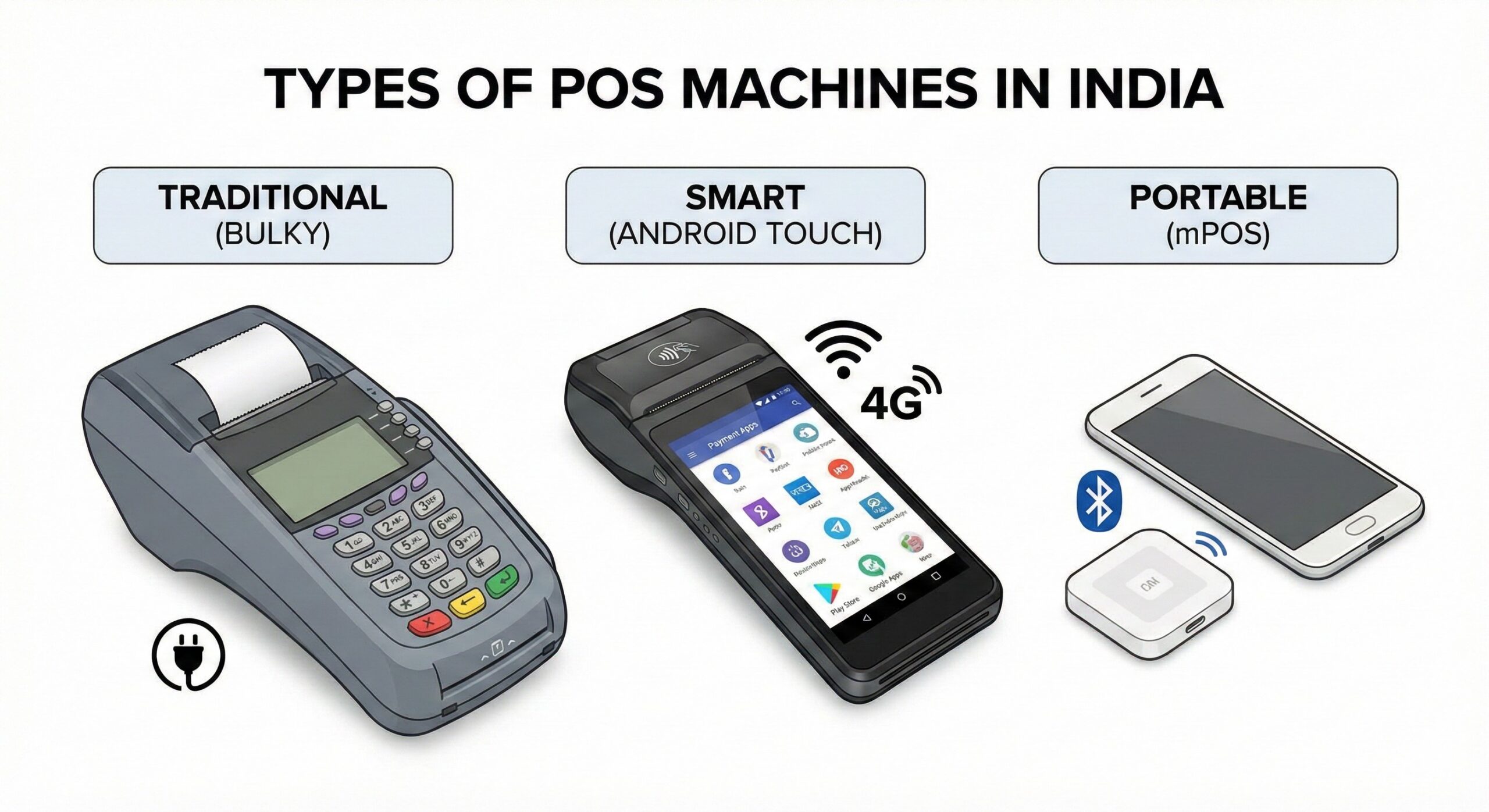
Not all machines are the same. Choosing the wrong type can lead to daily frustration and slow billing.
1. PSTN / GPRS Machines (Traditional)
These are the heavy, bulky machines with physical buttons you often see in supermarkets or petrol pumps.
- Pros: Extremely rugged and durable; they can survive drops. Long battery life because they don’t have big color screens. Best for high-volume shops like grocery wholesalers.
- Cons: High monthly rental, bulky to carry, and the interface looks old-fashioned (difficult to type amounts quickly).
2. Android Smart POS (The Modern Choice)
These look exactly like a smartphone with a printer attached to the back. They have a full touchscreen and run on the Android operating system.
- Pros: Very easy to use (if you can use a phone, you can use this). They support QR Code display on the screen (dynamic QR), so you don’t need a separate standee. The large screen is great for verifying customer details.
- Cons: Battery drains faster than traditional machines due to the large screen. You need to charge it daily like a phone.
3. mPOS (Mobile POS)
This is a tiny device (calculator size) that connects to your own smartphone via Bluetooth. It does not have a SIM card or a printer.
- Pros: The cheapest option (hardware cost is often under ₹1,000). Highly portable, making it perfect for delivery boys or home-based businesses.
- Cons: It relies on your phone’s battery and internet connection. If your phone dies, you can’t take payments. Also, customers often prefer a printed physical receipt, which this machine cannot provide (it sends SMS receipts only).
Step-by-Step Guide: How to Choose the Right Machine
Do not just buy the first machine a salesman offers. Follow this checklist to find the best fit for your shop’s specific needs.
Step 1: Analyze Your Transaction Volume
- Low Volume: If you do less than ₹1 Lakh in card sales monthly, strictly avoid rental-based machines. The fixed rent of ₹600/month will eat into your small profits. Go for a “Zero Rental” mPOS or a bought-out Android mini-POS.
- High Volume: If you do more than ₹5 Lakhs monthly, a rental machine from a major bank (HDFC, SBI, ICICI) might actually be cheaper in the long run. Why? Because banks often waive off the rental if you cross a certain sales target, and they offer faster support for high-value clients.
Step 2: Check Settlement Time (T+1 vs. Instant)
Cash flow is the lifeline of a small shop. You need money to pay your distributors tomorrow.
- Standard Settlement (T+1): The industry standard. Money collected today (Monday) hits your account the next working day (Tuesday).
- Instant Settlement: Some fintech machines (like BharatPe or Paytm) offer “Instant Settlement” where money hits your bank immediately after the swipe, 24×7.
- Decision: Determine if you need cash instantly. Note that “Instant Settlement” often comes with a small extra fee (e.g., 0.2%).
Step 3: Paper Roll Availability
If you buy a machine with a built-in printer, ask about the consumables.
- The Question: “Are the paper rolls free? If not, where can I buy them?”
- The Trap: Some proprietary machines use specific, odd-sized paper rolls that are not available in the local stationery market, forcing you to buy expensive rolls from the company itself. Always prefer machines that use standard-size thermal rolls.
Hidden Charges You Must Check Before Buying
To protect your budget, look the sales agent in the eye and ask these specific questions before signing the agreement:
- “Is there a charge for chargebacks?”
- If a customer calls their bank and disputes a payment (saying they didn’t make it), the bank deducts the money from you. Some providers charge a heavy penalty fee for this process.
- “Is there an annual maintenance fee (AMC)?”
- Some machines are marketed as “Free Rental,” but they hit you with a ₹2,000 “Software Maintenance Fee” once a year. Clarify this upfront.
- “What is the replacement cost if the machine breaks?”
- In a busy shop, machines will drop. It happens. If the screen cracks, will they replace it for free, or will it cost you ₹5,000? Know the repair cost beforehand.
- “Is there a lock-in period?”
- If you close your shop or want to return the machine in 3 months, is there a penalty? Many banks have a 1-year lock-in period with a penalty for early exit.
Smart Habits to Save Money on Digital Transactions
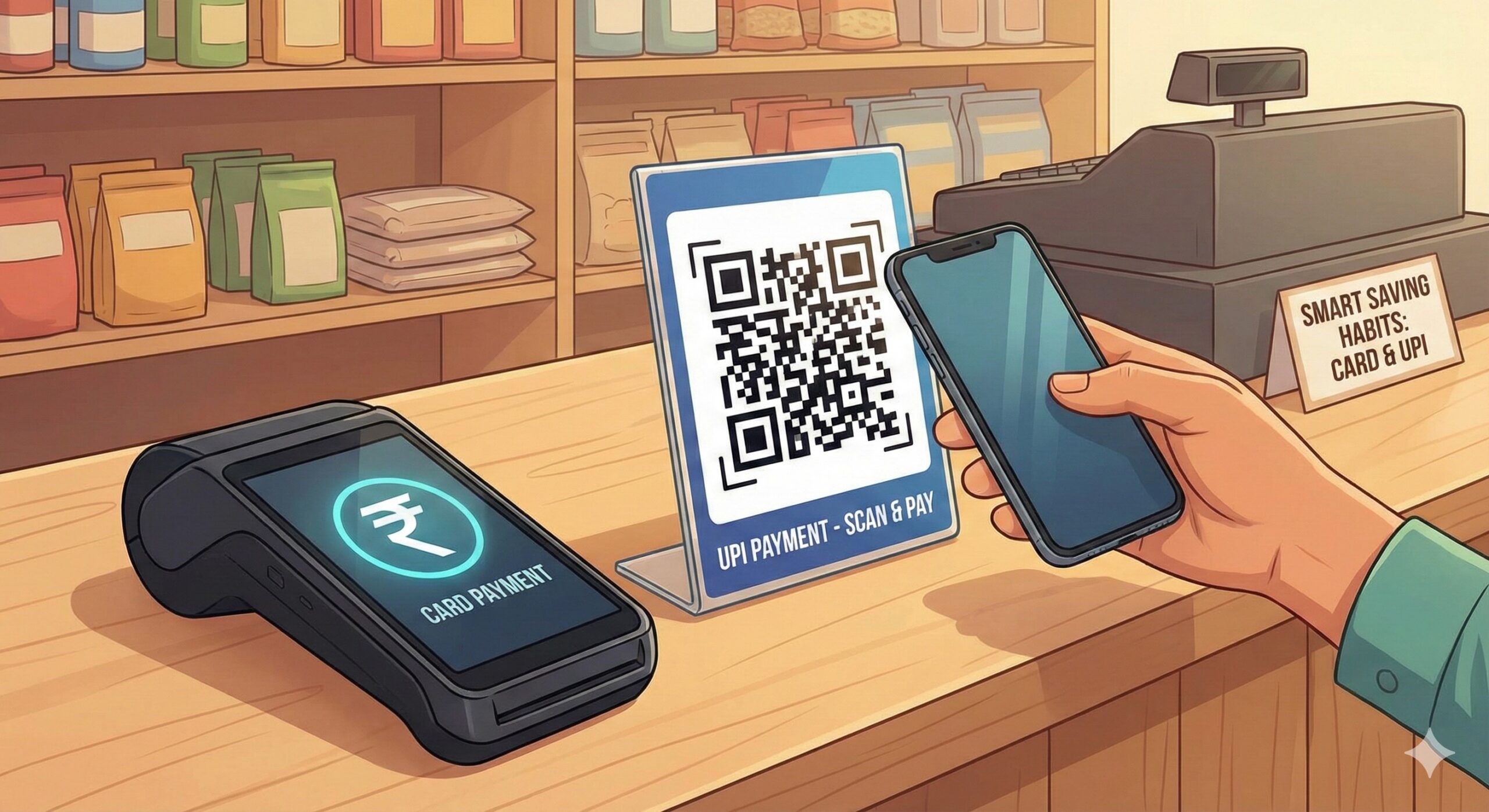
Once you have the machine, use it wisely to maximize savings and minimize MDR costs.
Encourage Debit Cards & UPI
Since Credit Card MDR is high (approx 2%), politely steer customers towards cheaper options.
- The Tactic: Keep the POS machine on the counter, but place a large QR Code standee right next to it. When a customer takes out a wallet, ask, “Sir, GPay or PhonePe?” first. UPI transactions usually cost you Zero. If they insist on a card, prefer Debit Cards over Credit Cards.
Audit Your Statements Monthly
Banks rely on the fact that shopkeepers are too busy to check statements. Sometimes they change rates or add “convenience fees” without clear notice.
- The Habit: On the 1st of every month, spend 15 minutes checking your merchant statement (usually sent via email). Calculate the total fees paid vs. total sales. If the percentage is higher than what you were promised, call customer care immediately and demand a refund.
Keep the Machine Clean and Charged
Dust is the enemy of card slots.
- Maintenance: A dirty machine causes “Read Errors,” forcing you to swipe the card multiple times. This looks suspicious to customers and delays the queue. Clean the card slot with a dry cloth weekly. Also, never overcharge the battery (don’t leave it plugged in overnight), as this swells the battery and damages the expensive device.
Digital Tools to Manage Shop Finances (Neutral)
Apart from the POS, use these free or low-cost tools to streamline your shop’s operations.
- Khata Apps (Digital Ledger): Replace your yellow paper notebook with digital ledger apps (like Khatabook, OkCredit, or Vyapar). They send automatic WhatsApp reminders to customers for pending payments, helping you recover dues faster.
- Inventory Apps: Some advanced Android POS machines come with built-in inventory management. You can feed your stock details into it. When you bill an item, it automatically deducts it from stock, alerting you when you need to reorder.
- Bank Apps: Use your Current Account’s mobile app (e.g., SBI Yono Business, HDFC SmartHub) to track real-time settlements. Do not rely solely on the SMS from the machine; always verify credit in the bank app.
FAQ Section
Q1: Which is the best POS machine for a small grocery store? For a small grocery store, an Android Smart POS is usually the best choice. It allows you to accept cards and UPI QR codes on the same screen. More importantly, the built-in printer helps provide physical receipts, which helps build trust with customers buying household items.
Q2: Can I get a POS machine for free? Technically, yes. Many banks offer the machine with “Zero Upfront Cost,” but they will almost always charge a monthly rental. Conversely, fintech companies might sell the machine for a small fee but charge no rental. “Free” usually means the cost is hidden elsewhere. Always calculate the Total Yearly Cost (Upfront + Rental x 12).
Q3: What documents are needed to get a POS machine? The KYC process is simple. You typically need your PAN Card, Aadhaar Card, Business Registration Proof (like a Gumasta License, Shop & Establishment Act, or Udyam Registration Certificate), and a Cancelled Cheque of the current account where you want the money to settle.
Q4: Is a Wi-Fi machine better than a SIM-based machine? Wi-Fi machines are faster and save on SIM data charges, but they stop working if your broadband goes down. A SIM-based machine (GPRS/4G) is more reliable as a backup. The best option is a machine that supports Both (Wi-Fi + 4G SIM).
Q5: How much is the MDR charge on credit cards? It varies by provider and your negotiation skills, but it typically ranges between 1.5% to 2.5% of the transaction value. Premium cards (Amex/Diners) and Corporate cards usually have the highest rates.
Conclusion
Choosing the best POS machine for small shop operations is a balancing act between technology and cost. It is not just about accepting payments; it is about modernizing your business, building a documented credit history, and offering convenience that keeps customers coming back.
Do not be afraid of the technology. Start by analyzing your monthly sales volume, compare the Rental vs. Purchase models carefully, and never hesitate to negotiate the MDR rates. By taking this small step towards digitization, you are not just buying a machine; you are preparing your shop for the future of Indian retail.
Disclaimer: This content is for educational purposes only. Mention of specific technologies or types of machines is for informational comparison. Please consult with banking representatives for the latest rates and charges.